Berkeley Varitronics Systems · distributed by arimasDatasheet · 2026
Anti-fraud · Skimmer detection

Skim Swipe

Card skimmer detector for swiping POS terminals

Swipe it through the reader like a card: green light means no skimmer, red light and beep means a skimmer is present. Detects deep and overlay skimmers hidden in swiping POS retail terminals, on both sides of the slot, with no hardware installation.

2
slot sides checked: swipe, flip, swipe
5
supported POS brands (Verifone, NCR, Equinox, Ingenico, Hypercom)
15–35°C
operating temperature
6+
months of battery life with weekly use

01Where it works

Overlay skimmers on POSSkimmers hidden inside swipe readersRetail and convenience store checkoutsGas stations, banks, restaurantsSwipe readers on some ATMs and fuel pumps

02Seconds to install, seconds to find

An overlay can be fitted to a checkout terminal in seconds, and some newer readers have heads on both sides of the slot, so a skimmer can hide on either side. Opening every terminal to check it takes time and technical staff.

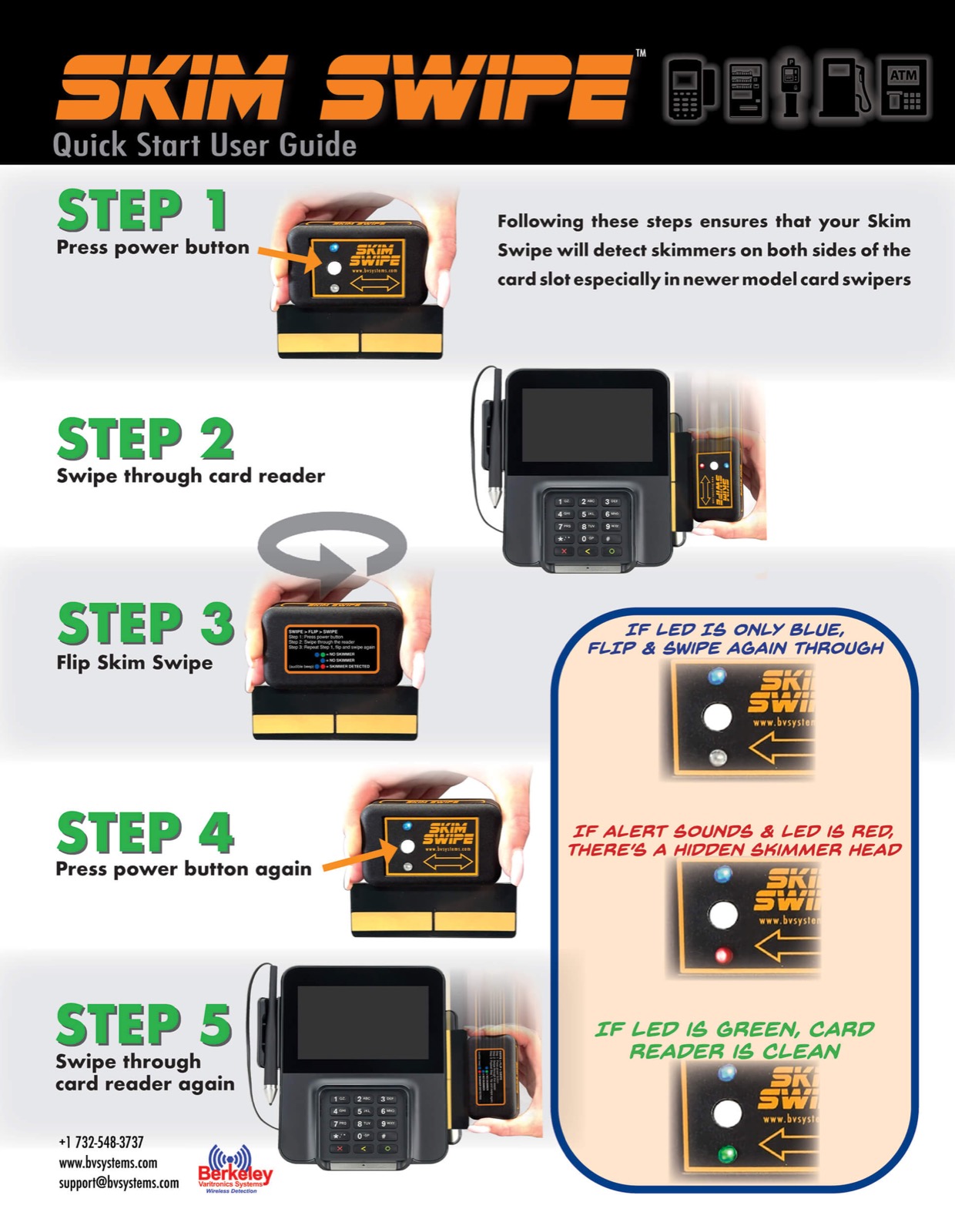
Skim Swipe is used like a card: press the button, swipe, flip, press again and swipe again. If it finds an extra magnetic head it lights red and beeps; otherwise the LED is green.

  • Pocket-sizedNo hardware installation or modification.
  • Used like a cardSwipe it through the reader for an instant result.
  • Both sidesSwipe, flip, swipe: checks heads on both sides.
  • LED and beepGreen: clean reader. Red and beep: skimmer present.
arimasSkim Swipe · Datasheet
Datasheet · Skim SwipeARM-DS-BVS-SKIMSWIPE · v1.0 · November 2026

Technical specifications

Official Berkeley Varitronics Systems data. Metric values converted from the original units.

ItemValue
Operation
Detection principleDetects the extra magnetic head: one head, no skimmer; two heads (legitimate reader + hidden skimmer), alert
Skimmers detectedDeep and overlay skimmers in swiping POS terminals
Compatible readersSwiping card readers: most retail POS terminals (Verifone, NCR, Equinox, Ingenico, Hypercom), kiosks and some ATM and gas pump payment terminals
Not compatibleDip or insert readers on ATMs and gas pumps: use Skim Scan
IndicatorsBlue LED: power · green LED: no skimmer · red LED and beep: skimmer detected
ProcedurePress the button, swipe, flip the unit, press again and swipe again
InstallationNo hardware installations or modifications; does not void any warranties
Power and environment
PowerCR2032 3 V coin cell battery (Energizer® recommended), replaceable with the supplied #1 screwdriver
Battery lifeAbout 1 month with daily use, over 6 months with weekly use
Operating and storage temperature15–35 °C (59–95 °F)

* Perform the same steps repeatedly to verify that a skimmer is present before disassembling any card reader.

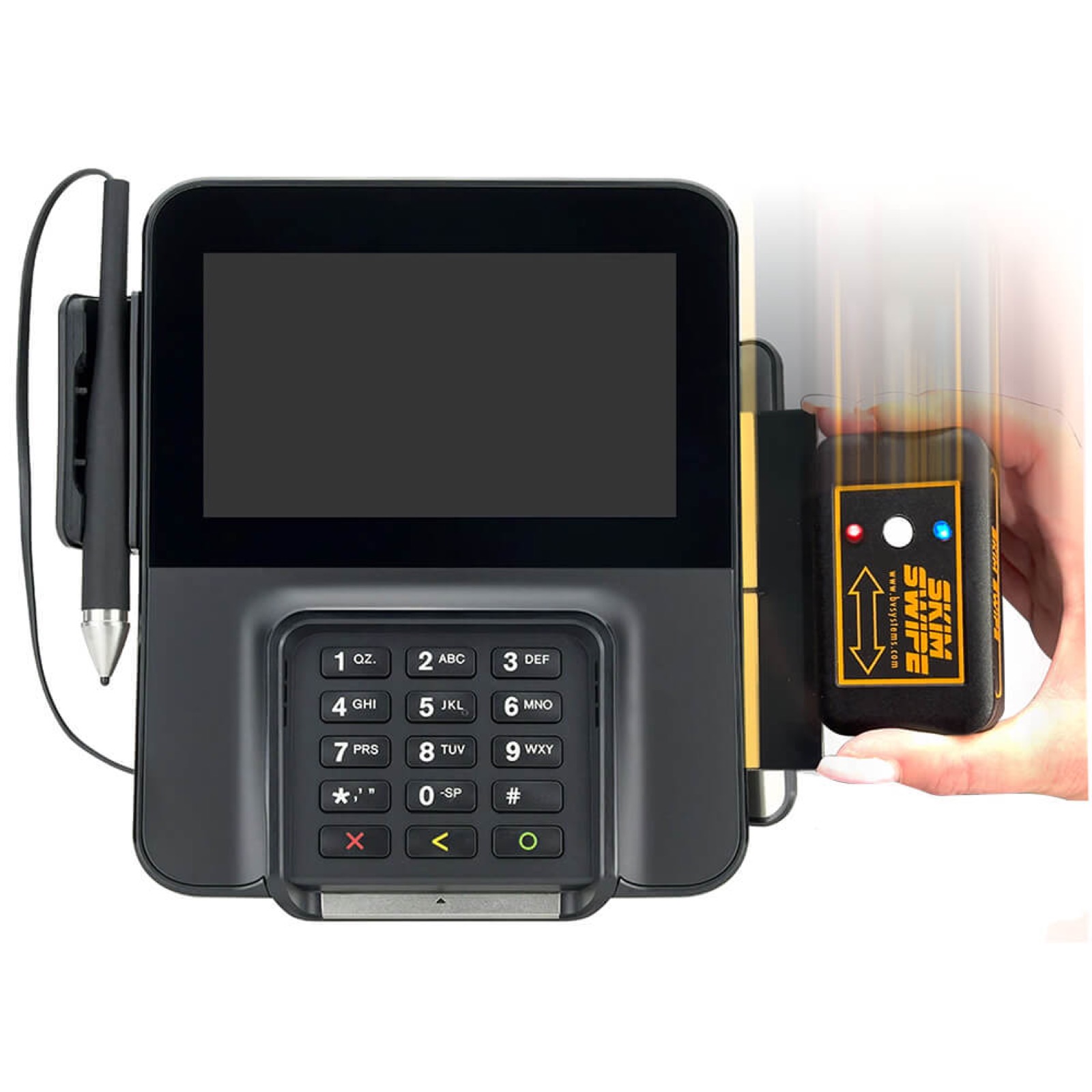
In a POS side reader
Quick guide: swipe, flip, swipe
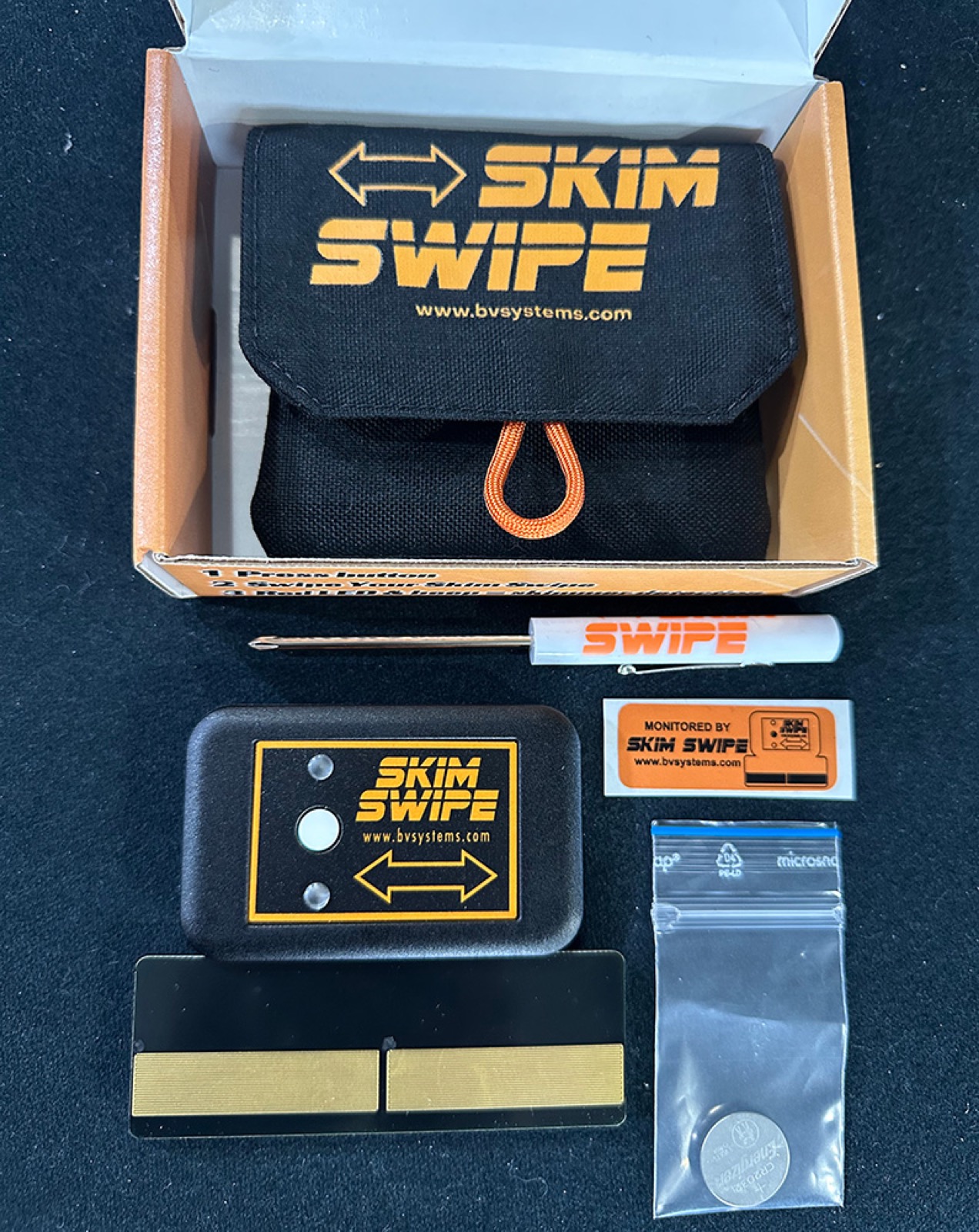
With holster, screwdriver and spare battery

Included

  • Skim Swipe unit
  • #1 screwdriver for battery replacement

Optional: Holster pouch for Skim Swipe, 1- or 2-year extended warranty (must be purchased with the unit).

Swipe twice

After the first swipe, flip Skim Swipe and swipe again: some newer card swipers have magnetic heads, and possibly skimmers, on either side of the slot.

Manufacturer

Berkeley Varitronics Systems
Metuchen, New Jersey (USA)

Distributor

arimas
Master Distributor Italy

Contacts

info@arimas.com
+39 349 470 6493

Online

store.arimas.com
product page and quote

Reference

ARM-DS-BVS-SKIMSWIPE
v1.0 · November 2026

arimasManufacturer data, subject to change without notice